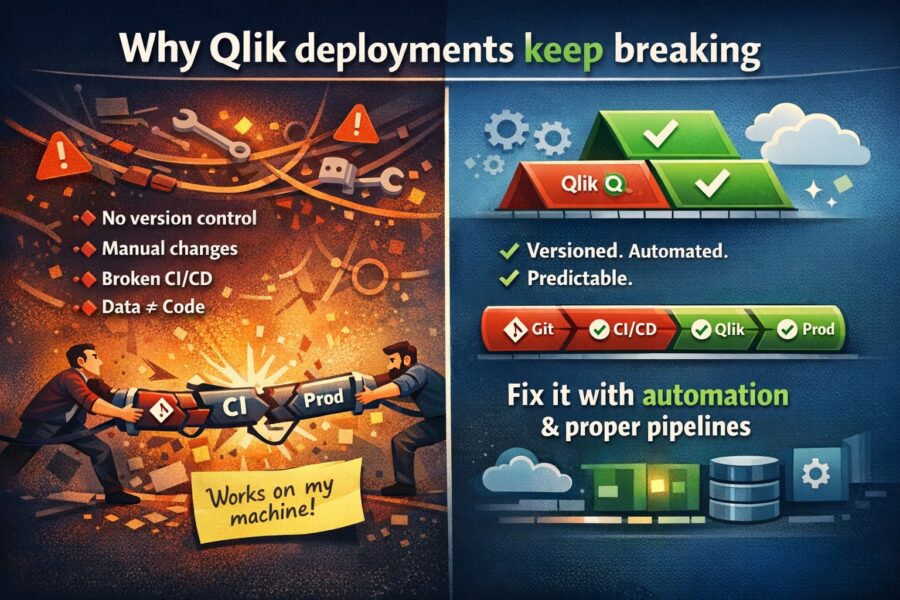
Every Qlik team has a deployment horror story.
Maybe it was the app launch load script bug that decided to release an app to production with a broken load script and had a great Monday morning with 400 users opening their dashboards to find a bunch of empty charts. Maybe it was the app edit collision that caused one of the two developers working on an app over the weekend to lose their entire weekend of work. Maybe it’s the executive who asked “what changed” after data was no longer matching the finance system.
These aren’t edge cases. They’re Tuesday.
And these issues keep coming up because of the way that QlikView was built, and the resultant issues that most Business Intelligence departments have to contend with on a daily basis.
As with just about everything else in modern tech stacks, almost every other artifact is text files stored in a Git repository. Application code, infrastructure configurations, database migrations, configuration files — pretty much every artifact that human eyes need to peer into is diffable, reviewable, and traceable.
Qlik apps are binary files.
A QlikView file (.qvf) is a binary format and can’t be opened or edited with a text editor. You can’t see the difference between versions. You can’t do a merge between two developers’ changes. You can’t do code reviews.
There is a singular architectural decision that leads to nearly all of the problems that Qlik faces when it comes to deploying products.
Version control is a fundamental part of most developers’ workflow. All changes are versioned. Every code change is documented with who made the change, when was it made, the code diff and often a description of the change.
Qlik has none of this.
When you save a Qlik app, all information from previous sessions is lost. There’s no way to “undo” to a previous state of the app within a single session of the application. There’s no record of the changes that have been made. There’s no way to compare this week’s version of the app to last week’s.
The consequence: when something breaks, the investigation starts with “does anyone remember what they changed?” — not with git log.
A common scenario: two developers who work together on the same Qlik app will only be able to develop the app sequentially, i.e. only one of them can edit and develop the app at any given time. A more common phenomenon is when two developers have to develop two different versions of the same app and then later merge the updates into a common base. This manual merging is not always an easy task, especially when it comes to large and complex applications.
There’s no branching. There’s no merging. There’s no conflict resolution.
In practice, teams develop workarounds:
None of these scale past 2-3 developers.
The standard Qlik deployment process:
This is the copy-paste and pray method. And it works — for a while, at least.
Common failure modes:
There’s no pipeline. There’s no automation. There’s no validation step between “developer says it’s ready” and “400 people are looking at it.”
Our practice is to code review. The other team member will not merge the change into production unless they agree the code is ready to go in. Code review catches bugs, ensures that coding practices are followed, and spreads knowledge about particular sections of the code base to all team members.
In Qlik, there’s no equivalent.
The developer makes changes to a really complex Set Analysis expression, a variable formula, or even the load script. And they are deployed straight away. No review, no need for someone to manually sign off the change, nor any consideration as to whether it’s been reviewed and validated by someone else.
This isn’t because teams want code review and aren’t getting it. It’s because the tooling is bad. You can’t review a binary file, and you can’t comment on a specific line of a QVF.
When a production dashboard breaks or shows wrong numbers, people always want to know “What changed?”.
For version control users, the answer is 30 seconds. git log, figure out which commits changed the line, git show the hash of the commit, and voila.
In Qlik, the answer might take hours — or never come. Because there’s no record of what changed, when or by whom.
This is more than an annoyance. In highly regulated verticals like Financial Services, Healthcare and Government — not being able to create a change log means you are non-compliant. Auditors want to know that you’re managing change across your applications, and a “we don’t keep change history for our reporting apps” answer isn’t going to cut it.
If all else fails during a deployment, then your plan should be to roll back to your previous working version.
In Qlik, this means:
Most teams can’t honestly say they can handle all four. So when a change breaks something, the de facto answer becomes “fix it forward under pressure” — which itself introduces new issues.
All of these issues are nothing new to any of us on the Qlik teams that have to deal with them on a daily basis. So, why are they still an issue?
The fundamental fix is: treat Qlik apps like code.
That means:
This isn’t a future scenario, it’s here now. There are products that can take a Qlik file (in binary format) and allow you to treat it just like any other code file (i.e. in text format) so you can leverage the full power of Git. Version control has been a well proven and accepted practice in traditional software development for many decades, and it’s now available for the first time to Qlik developers and data analysts.
If your teams can shift into this mode, you will no longer have deployment horror stories. Not because your team will stop making mistakes (they probably won’t), but because people will start to notice, track, and fix mistakes in ways that actually feel safe.
DatalabsUa builds DevOps tools for Qlik analytics. Learn how QOps brings Git-based version control to Qlik.



No comments yet.
Leave a comment